


Introduction to Accessibility
As part of our commitment to inclusivity, the City of Coquitlam has developed these accessibility guidelines to ensure our suppliers create products and services that are accessible to everyone. Adhering to these standards is essential in fostering a community where all residents can engage fully and equitably.
Purpose
The City of Coquitlam is committed to fostering an inclusive environment where everyone has equal access to information and services. By prioritizing accessibility, we ensure that every member of our community can engage with and benefit from our digital and physical offerings.
Accessibility: A Structured Approach
In our efforts to create an inclusive and accessible environment for all, we strive to make our information available in as many formats as possible. In our approach to visual communication and graphic design, we have categorized our accessibility considerations into three main areas:
- Colour use
- Text use
- Language use
These categories are foundational to ensuring that our communications – whether print, digital or environmental – are perceivable, understandable and navigable for everyone.
To address specific accessibility considerations for websites, digital design and applications, we follow the Web Content Accessibility Guidelines (WCAG) AA standard. The best practices that come from this international standard ensures our web and digital content is universally accessible across all services and platforms.
Colour Standards
Apply high-contrast colour schemes between text and backgrounds in all materials to enhance readability. Reference the City’s Secondary Colour Guide to find all secondary colour options and text requirements.
Colour Coding
Colour coding alone is not considered accessible. In cases where colour coding is used, there needs to be differentiating symbols or patterns in addition to the colour coding. This ensures information can still be understood in the absence of colour.

To meet AA standards, we’ve identified accessible colours for text on coloured backgrounds. These colours can be used with secondary palette colours, ensuring accessibility. When pairing colours, use tools such as the Adobe Colour Contrast Analyzer to ensure they are visually distinguishable for people with visual impairments.
Text Standards
Font size
Font size may be listed in points or pixels. Text based computer applications tend to use points, while digital content applications may use pixels.
1 pixel (px) is assumed to be 1/96th of an inch, while 1 point (pt) is assumed to be 1/72nd of an inch. Therefore 16px = 12pt.
Web Content: Minimum font size should be 14pt for body text to ensure readability across devices and for users with varying vision capabilities.
Print Material: The City’s standard is a minimum of 10pt. The goal is to achieve 12pt on documents, but in situations where an item is copy heavy and can’t be reduced we use 10pt as the minimum.
Signage and Public Notices: Minimum font size should be 22pt, considering viewing distance and accessibility for all users, including people with vision impairments.
Font selection
Use accessible fonts that are designed for high readability. The City’s brand fonts include TheSans and BC Sans. These fonts offer a clear distinction between letters, reducing confusion and enhancing legibility for users with reading disorders or vision impairments.
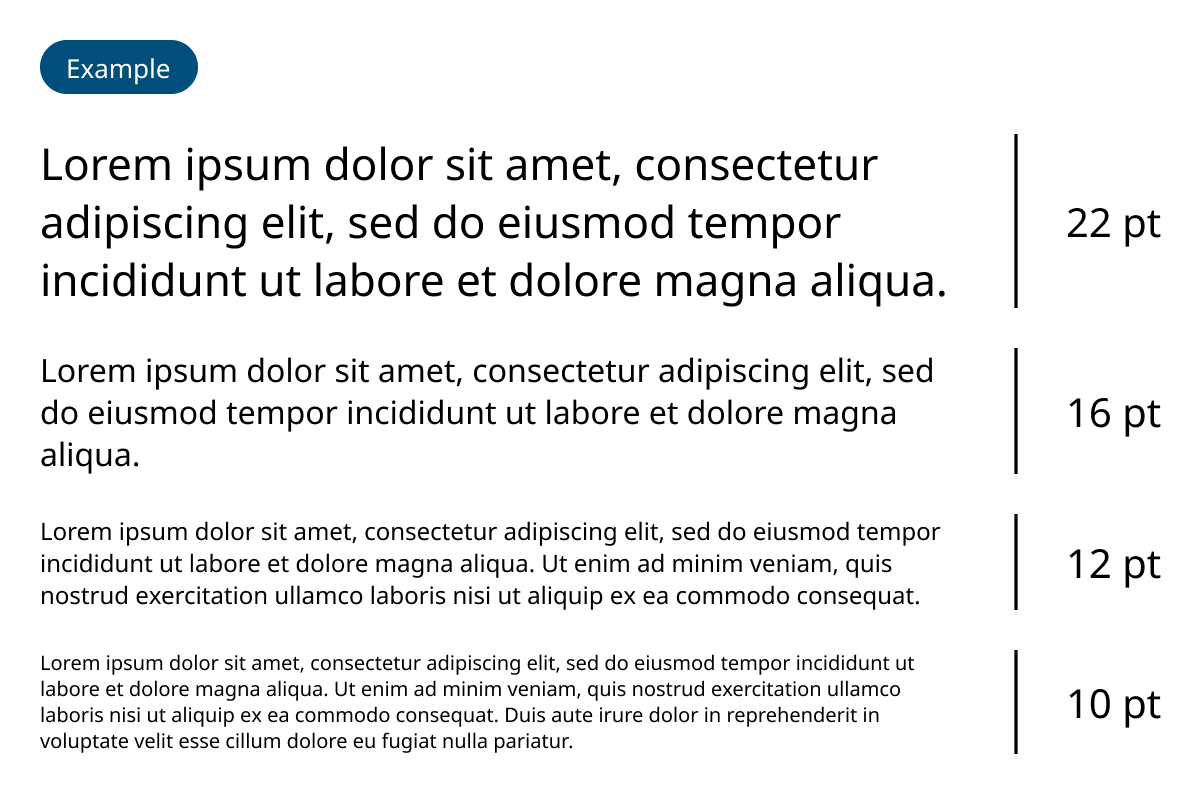
Large text has greater contrast. Notice how a larger font size lets in more of the background that sits behind the text.
Text Standards
Capitalization
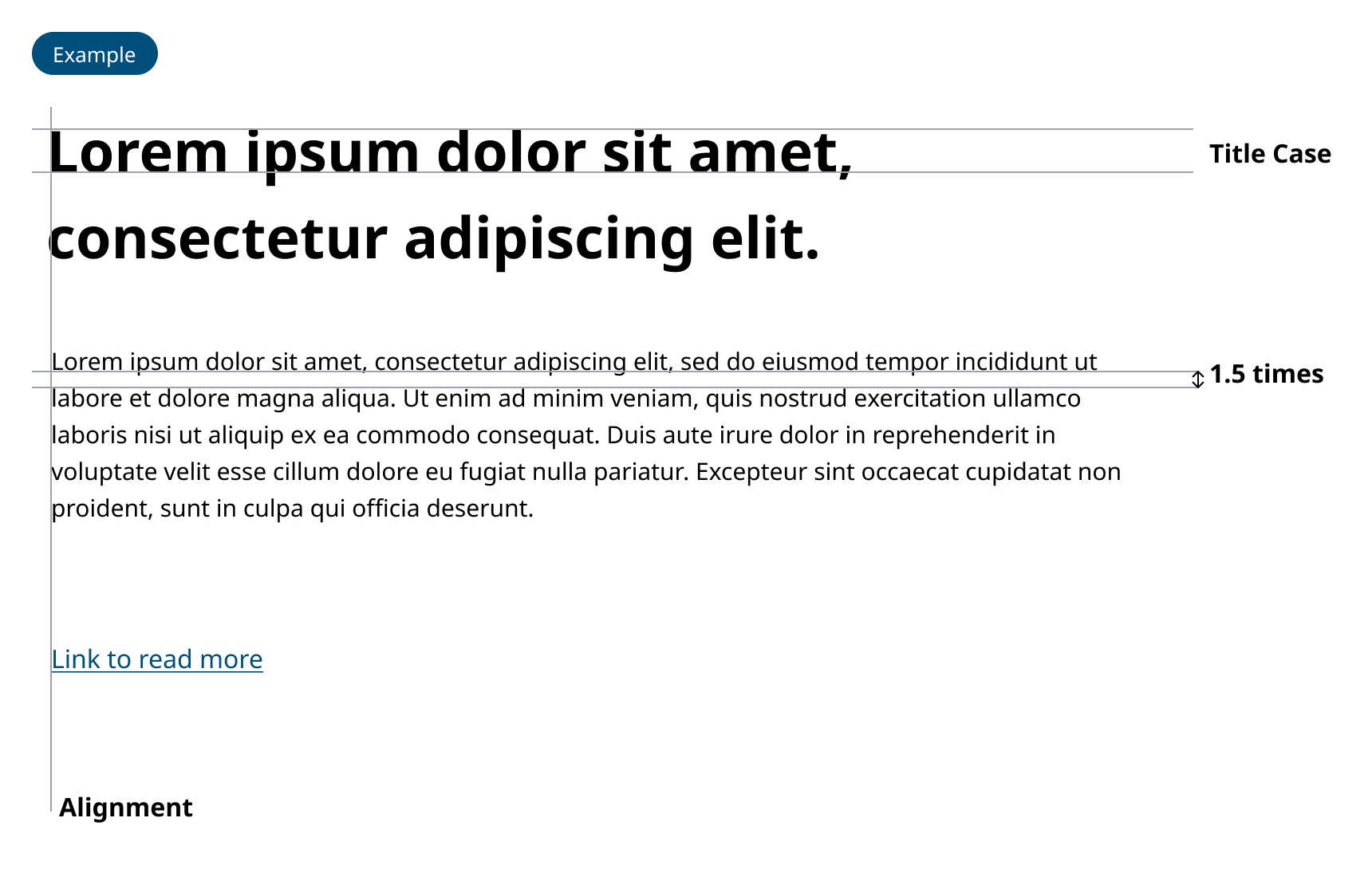
Titles and headings should use Title Case for better legibility. Avoid using all caps for text, as it reduces readability and can make text difficult to scan for people with dyslexia or other reading or learning disabilities.
Title Case should also be used in web addresses and emails where multiple words are strung together (e.g. LetsTalkCoquitlam.ca, coquitlam.ca/SignMeUp, [email protected]).
Line Spacing and Paragraph Formatting
Aim for a minimum line spacing of 1.5 times the font size for both web and print content to improve readability and comprehension. Ensure adequate spacing between paragraphs, ideally 1.5 times the line spacing, to help distinguish separate thoughts and make text more approachable.
Alignment and Justification
Use left-aligned text for both web and print content. Fully justified text can create uneven spacing between words, making it harder to read for many users.
Use of Italics and Underlining
Use left-aligned text for both web and print content. Fully justified text can create uneven spacing between words, making it harder to read for many users.
Language Standards
Follow Canadian Press (CP) Style
Use Canadian Press (CP) Style as the foundation for all written content. This includes prioritizing plain language and clear, concise expressions to ensure content is easily understandable for a broad audience.
Use of Acronyms
Minimize the use of acronyms to avoid confusion. When their use is unavoidable, ensure that the full term is spelled out upon first reference, followed by the acronym in parentheses. Avoid using acronyms thereafter if possible. E.g. Official Community Plan (OCP).
Plain Language Use
Write in plain language to make City content clear and easy to understand. This approach helps to make information accessible to everyone.
Inclusive Language
Use inclusive language that respects and acknowledges diverse backgrounds, cultures and experiences. Use gender-inclusive language (e.g. utility access cover instead of manhole; parents instead of moms and dads), and avoid language that uses stereotypes or may have harmful origins (e.g. stakeholders).
Integration of Braille on Signage
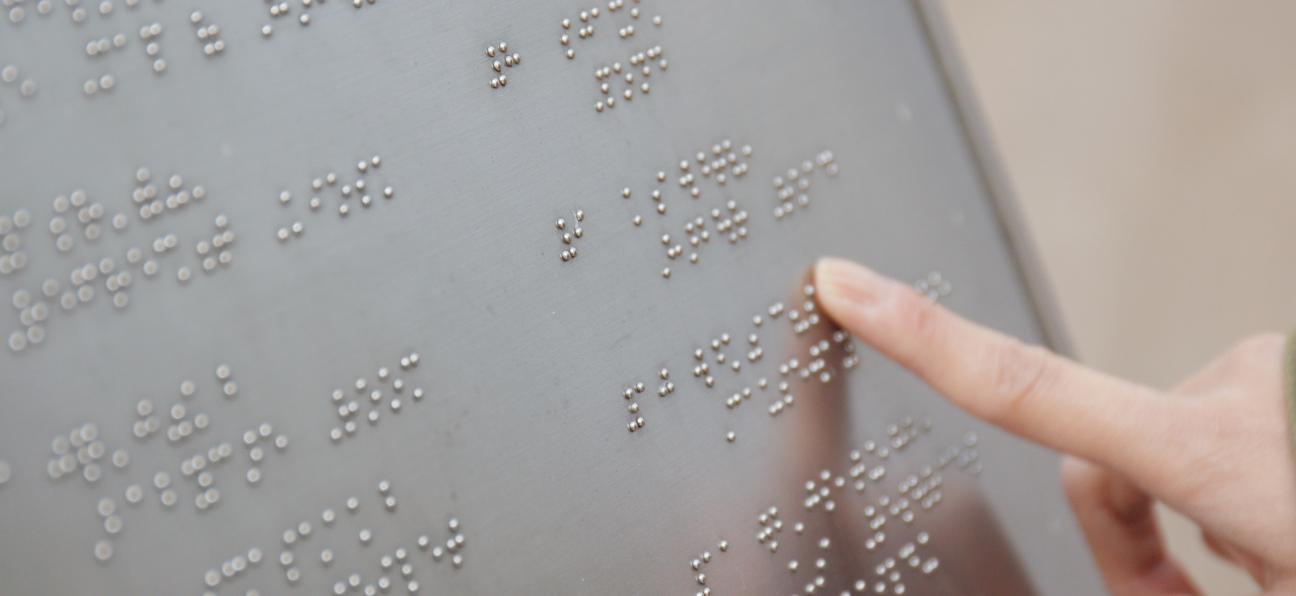
Include braille on all relevant signage to help people who are blind or have low vision. The City follows the Rick Hansen Foundation’s accessibility recommendations and best practices regarding the placement and positioning of signs, and when to include braille.
Web & Digital Accessibility
Documents
If you are creating documents for print, consider how the information can be made accessible in a digital format. For example, posting an accessible PDF version on the City’s website ensures the document can be accessed by someone using a screen reader.
Web Content
Links/URLs: Make sure links open in a new window whenever possible. If a link has multiple words strung together, user Title Case to help with legibility (e.g. LetsTalkCoquitlam.ca, coquitlam.ca/SignMeUp, [email protected]).
AA Standard for Colour Contrast: Ensure a minimum colour contrast ratio of 4.5:1 for normal text (over 10 pt) and 3:1 for large text (over 18 pt bold text over 14 pt). This ratio makes content more readable for users with vision impairments.
Multimedia: Offer captioning and audio descriptions for videos, and provide accessible alternatives for audio-only content.
Adaptive: Create flexible and responsive content that can be presented in different formats without losing information or structure, accommodating various devices and orientations.
Compatibility: Focus on maintaining compatibility with a broad range of devices and assistive technologies to support diverse user needs.
Heading Structure: Use a logical heading structure (H1 to H6) to organize content and help navigation by screen readers.

Images and Multimedia
Alt Text for Images: Provide alternative text (alt text) for all images. Alt text should provide a short description of the image’s meaning and context to help people who cannot see it.
Captioning and Transcripts: Offer captions for videos and transcripts for audio content. This makes multimedia content accessible to a wide range of users including those who may be deaf or hard of hearing, who are neurodivergent, or those who just prefer text formats.
Navigation and Interactivity
Keyboard Navigation: Ensure that all interactive elements are accessible using a keyboard alone. This is crucial for users who cannot use a mouse or touchscreen.
Accessible Forms: Label form elements clearly; ensure error messages are specific and guide users toward resolving issues. This helps users who may have intellectual disabilities, who are neurodivergent, or who may be using a screen reader.
Link Descriptions: Make hyperlink text descriptive of its destination, rather than generic terms like “click here.” This improves understanding for screen reader users and is also considered a web best practice so users understand where the link will take them.
EDI & Acessibility Checklist
For all materials issued by the City of Coquitlam, it's important to adhere to the City's visual and accessibility standards. Our commitment is to produce content that is inclusive and accessible to all members of our community, while maintaining the visual integrity and recognition. This basic checklist is designed to act as a concise reference tool to guide the development of new content for the City, ensuring it meets our accessibility goals.
Checklist
- Is the minimum font size 10pt?
- Is the font of your document TheSans or BC Sans?
- Does your document use Title Case instead of ALL CAPS?
- Have you referred to the City’s secondary colour guide to ensure you’ve achieved adequate colour contrast?
- Is colour coding accompanied by differentiating symbols to reinforce linked materials if colour can’t be viewed?
- Have you referenced the City’s Writing Guide to ensure your copy meets the City’s standards for copy?
- Have you referenced the City’s Writing Guide to ensure correct terminology and formatting of Indigenous content/words?
- Are the images used aligned with the City’s photography standards?
- Do images that provide necessary context include alt text or captions?
- Has your document been reviewed with an EDI lens to ensure diversity in photos, icons and inclusive language?
- Have you tested compatibility to ensure the document can be used by screen readers (mobile and browser) or other assistive technologies?
- If the final version of the document is to be printed, have you made an accessible version to be posted online for someone using a mobile screen reader?
- Does the document include contact information if someone needs support understanding or accessing the information?
Related downloads
Relevant downloads for this section of this brand guideline.
